
For Australian gardening, lawn care and cleaning businesses
Run your business.
Not your paperwork.
Scheduling, client reminders, quotes and invoicing, with Xero built in. Everything you need to keep your team moving.
Free trial. No credit card needed.
- GST tax invoices with your ABN
- Works on any phone or computer
- Data stored in Australia
- Xero integration
Features
Everything your business runs on, in one place
Built for businesses with people on the road: the schedule, the team, the customers and the money.
Easy scheduling
Day, week, month and crew views. Drag jobs onto the calendar, set up recurring work and keep unscheduled jobs in one list.
Crews and staff
Group your team into crews, assign each job to the right person, and give everyone their own login.
Your team kept in the loop
Staff are emailed when a job is assigned, moved or cancelled, plus a summary of their day's schedule.
Reminders the day before
Customers get an email reminder the day before you arrive, with the time and address. Fewer missed appointments.
Quotes and tax invoices
PDF quotes and tax invoices with your logo, ABN and GST, emailed in a couple of clicks. Finish a job and the invoice is filled in for you.
Xero integration
Invoices you send are copied into Xero with the client, line items and GST. No double entry. Team plan and above.
Google review requests
After a job is done, customers get a friendly email asking for a Google review, so more locals can find you.
SMS remindersComing soon
Text-message reminders for customers and staff are on the way. Until then, reminders go out by email.
How it works
Four steps to an easier week
- 1
Add your clients and jobs
Bring in your client list, their properties and the services you offer. Import clients from a spreadsheet if you have one.
- 2
Schedule and assign your team
Drag jobs onto the calendar and assign them to staff or crews. They're emailed their schedule automatically.
- 3
Keep clients updated automatically
Customers get a reminder the day before each visit, and a review request once the job is done.
- 4
Invoice and track your work
Mark a job done and the invoice is ready to send. Track what's paid and overdue, with invoices copied into Xero.
Who it's for
Made for service businesses that work on site
Gardening businesses
Garden clean-ups, pruning, planting and regular maintenance rounds.
Cleaning companies
House cleans, end-of-lease cleans, offices and recurring bookings.
Lawn care providers
Mowing runs, edging and seasonal work across your service area.
Property maintenance teams
Mixed jobs across many sites, with crews and staff on the road.
See it in action
Real screens from Crew & Grounds
Shown with a sample business. This is what you and your team use every day.
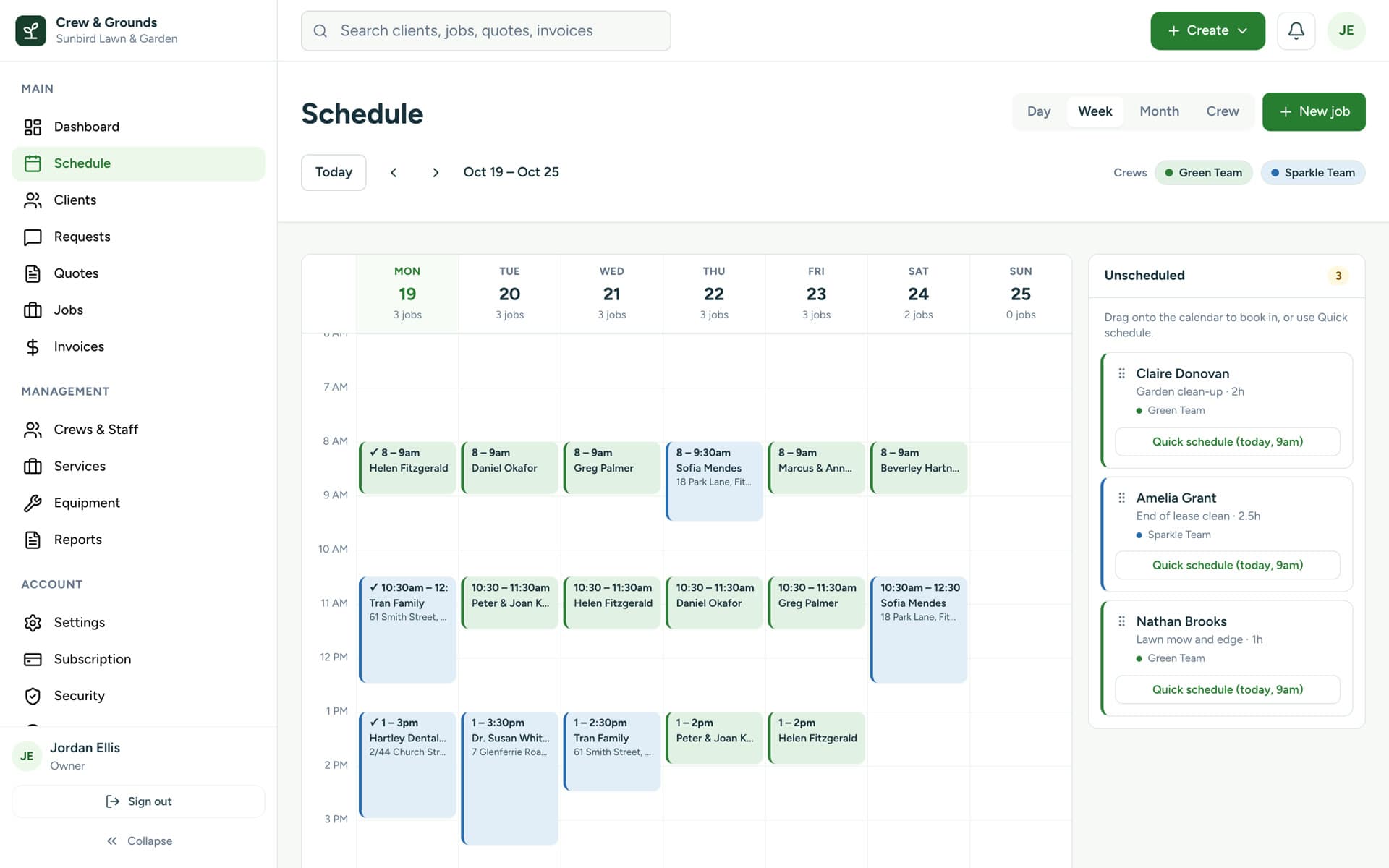
Scheduling
Your whole week at a glance
See every job by day, week, month or crew. Drag unscheduled work onto the calendar, and move jobs when plans change. Your staff are told automatically.
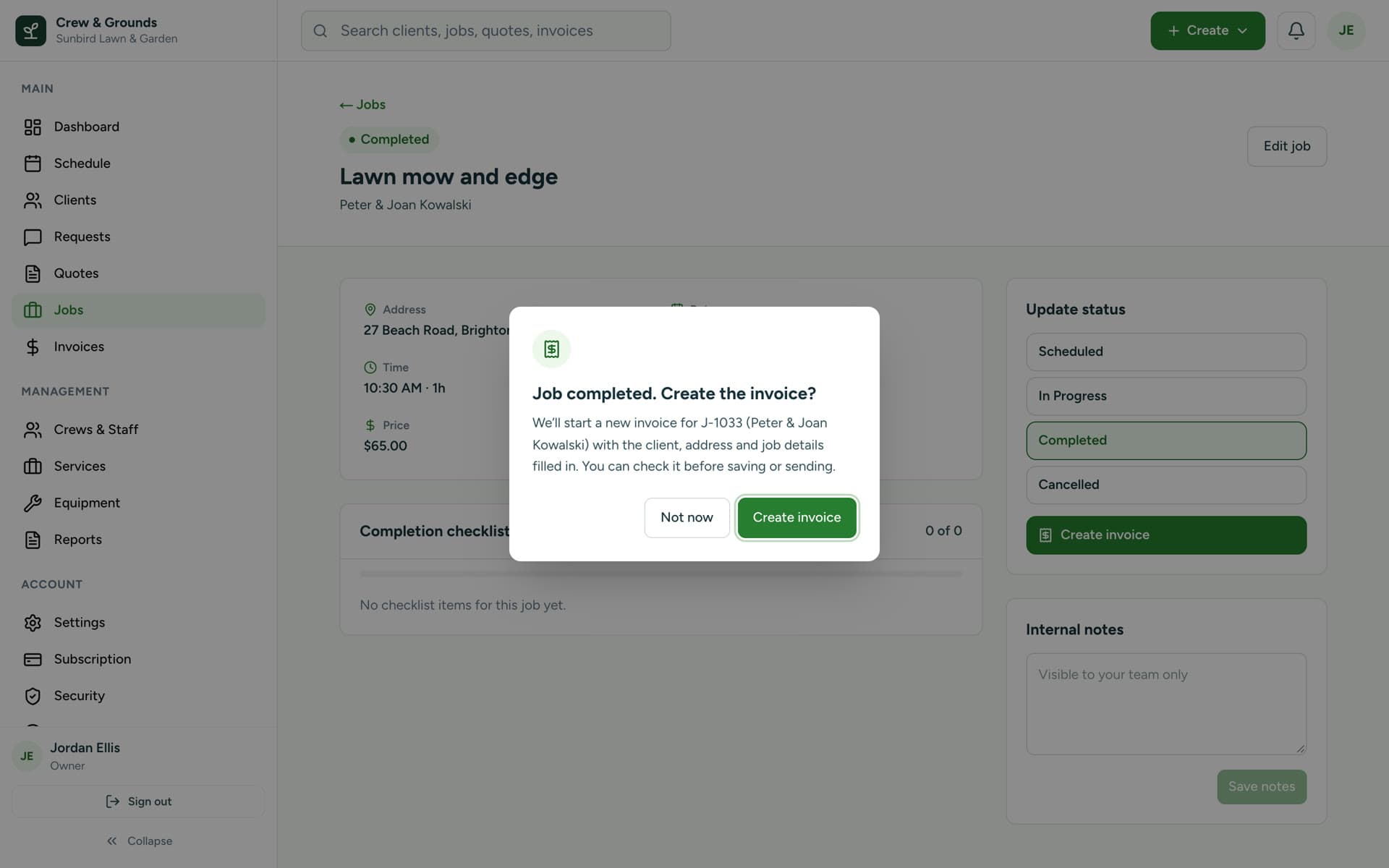
Invoicing
Job done. Invoice ready.
Mark a job completed and Crew & Grounds offers to create the invoice, with the client, address and job details already filled in. Check it, then send it as a PDF.
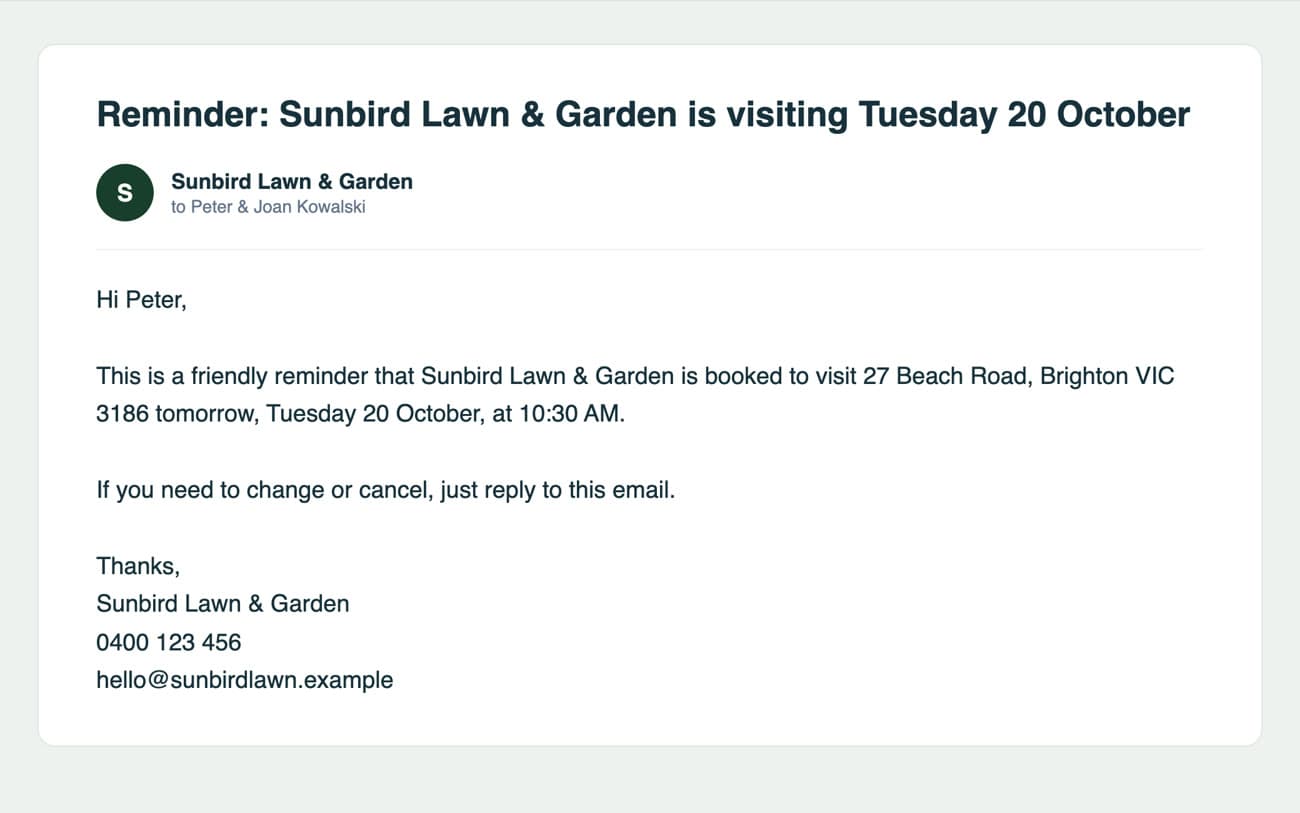
Client reminders
Reminders that send themselves
Turn on reminders once and every customer with an email address hears from you the day before their visit. You can edit the wording to sound like you.
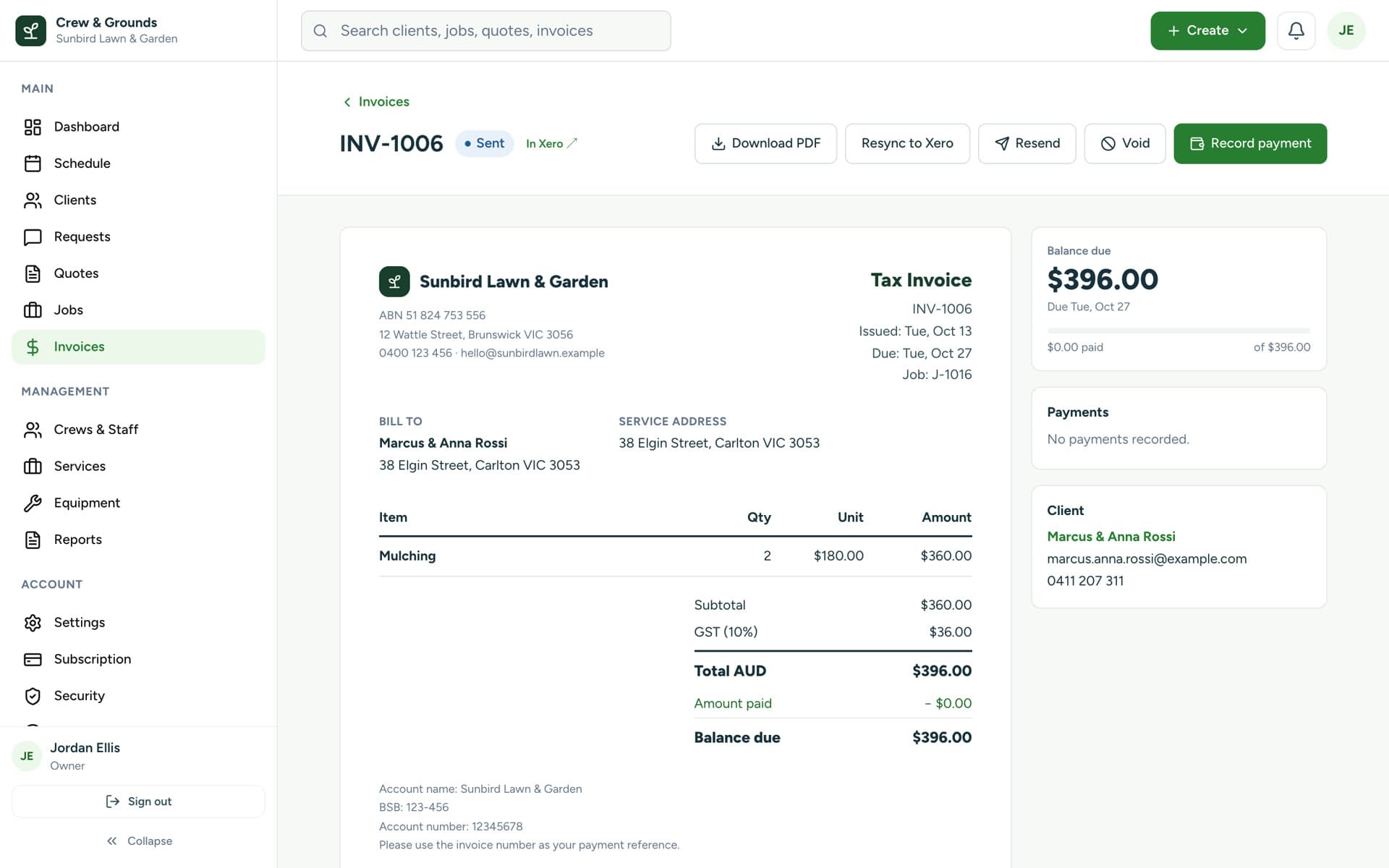
Xero
Invoices in Xero, without retyping
Connect Xero and every invoice you send is created there too, matched to the right contact, with GST and line items. Available on the Team plan and above.
On the go
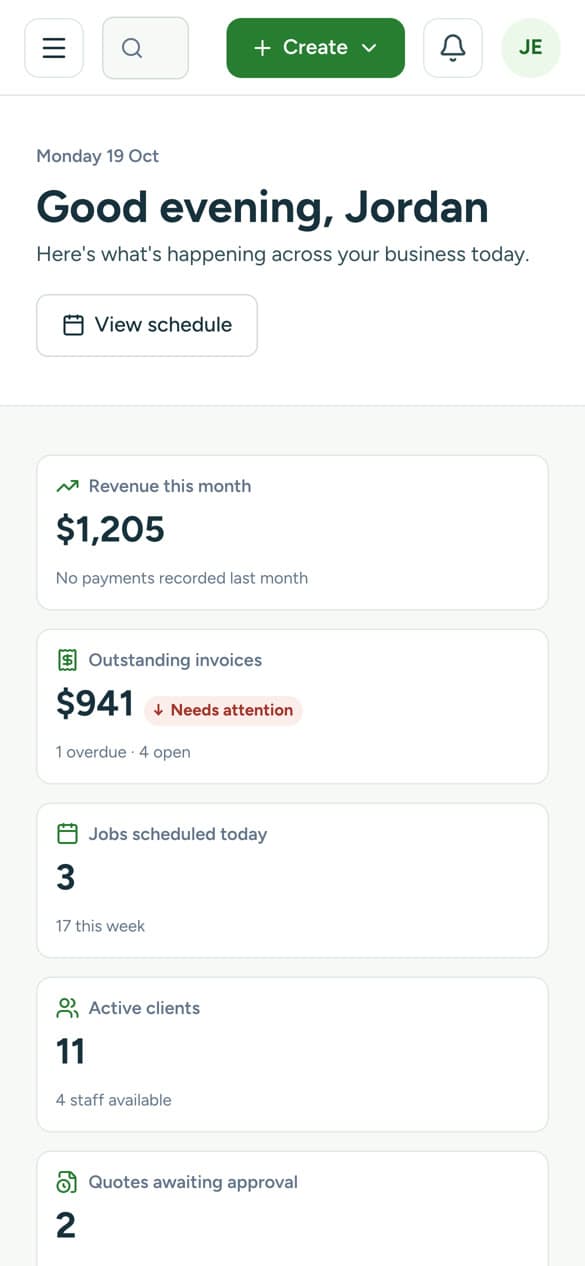
Works on your phone
Crew & Grounds runs in the browser on any phone, so you can check today's jobs, update a job on site or send an invoice from the ute. Nothing to install.
Why Crew & Grounds
Less admin. More jobs done.
Less paperwork
No more notebooks, whiteboards and copied-out invoices.
Fewer missed appointments
Automatic reminders mean customers know you're coming.
Better communication
Staff and clients are told what they need to know, without the phone calls.
Smarter scheduling
See who's free, balance the week and fit in the extra job.
More time to grow
Spend your evenings on the business, not the admin.
Pricing
Simple pricing by team size
Start with a free trial, no card needed. Prices in AUD per month. Save 20% when you pay yearly.
Every plan includes
- Clients with multiple properties and contacts
- Quotes and invoices, emailed to clients as PDFs
- Scheduling in day, week, month and crew views, with drag and drop
- Recurring jobs
- Service price list
- Equipment tracking
- Reports, including crew utilisation
- Logins for your whole team
- Email support
- Customer reminders and staff notifications
- Google review requests
Plans renew monthly or yearly and can be cancelled any time.
FAQ
Questions, answered
How does scheduling work?
Jobs live on a calendar you can view by day, week, month or crew. Drag a job to a new time or day, assign it to a staff member or crew, and set it to repeat for regular clients. Jobs without a date wait in an unscheduled list until you're ready.
How do the email reminders work?
Turn on customer reminders in Settings and, every morning, Crew & Grounds emails each customer who has a job the next day, with the date, time and address. Each customer is reminded once per job, and you can edit the wording.
Does it work with Xero?
Yes. On the Team plan and above, connect your Xero organisation and every invoice you send is copied into Xero with the client, line items and GST. Edits and voids are kept in step, and payments sync both ways: payments you record are added to Xero, and payments recorded in Xero (for example from your bank feed) mark the invoice paid here.
Can I use it on my phone?
Yes. Crew & Grounds runs in the web browser on any phone, tablet or computer, so you and your team can check the schedule and update jobs on site. There's nothing to download from an app store.
Can I send SMS reminders?
Not yet. SMS reminders are coming soon. Today, reminders and notifications are sent by email.
Do I need a credit card to try it?
No. Start a free trial without a card. When you're ready, choose a plan by team size. Plans renew monthly or yearly and you can cancel any time.
Is my data secure?
Your data is stored in Australia (Sydney) and kept separate from every other business. Sign-in supports two-factor authentication with an authenticator app, and you can sign out of every device at once.
Less admin. More jobs done.
Start your free trial today. No credit card needed. Add your clients and start scheduling straight away.